Online Business

  • The Ultimate Work From Home Office Setup

    Creating the ultimate work-from-home office setup is all about tailoring it to your unique needs, style, and budget. With the right setup, you can boost productivity while enjoying a comfortable, inspiring workspace you’ll actually look forward to using every day. Here’s a peek at my favorite essentials and tips for designing your perfect home office:

    Comfortable Office Furniture

    Invest in good quality furniture that supports your posture. You’ll spend a lot of time in your home office, so invest in a comfortable, ergonomic chair and desk. Ensure the desk is the right height for you and that the chair provides good lumbar support.

    I love my adjustable-height desk and chair.

    The right Technology

    Make sure you have the following:

    • Computer or laptop that can handle your work tasks and runs smoothly.
    • A monitor or dual monitors can help increase productivity and reduce eye strain.
    • Printer/scanner for scanning documents, making copies, and printing important documents.
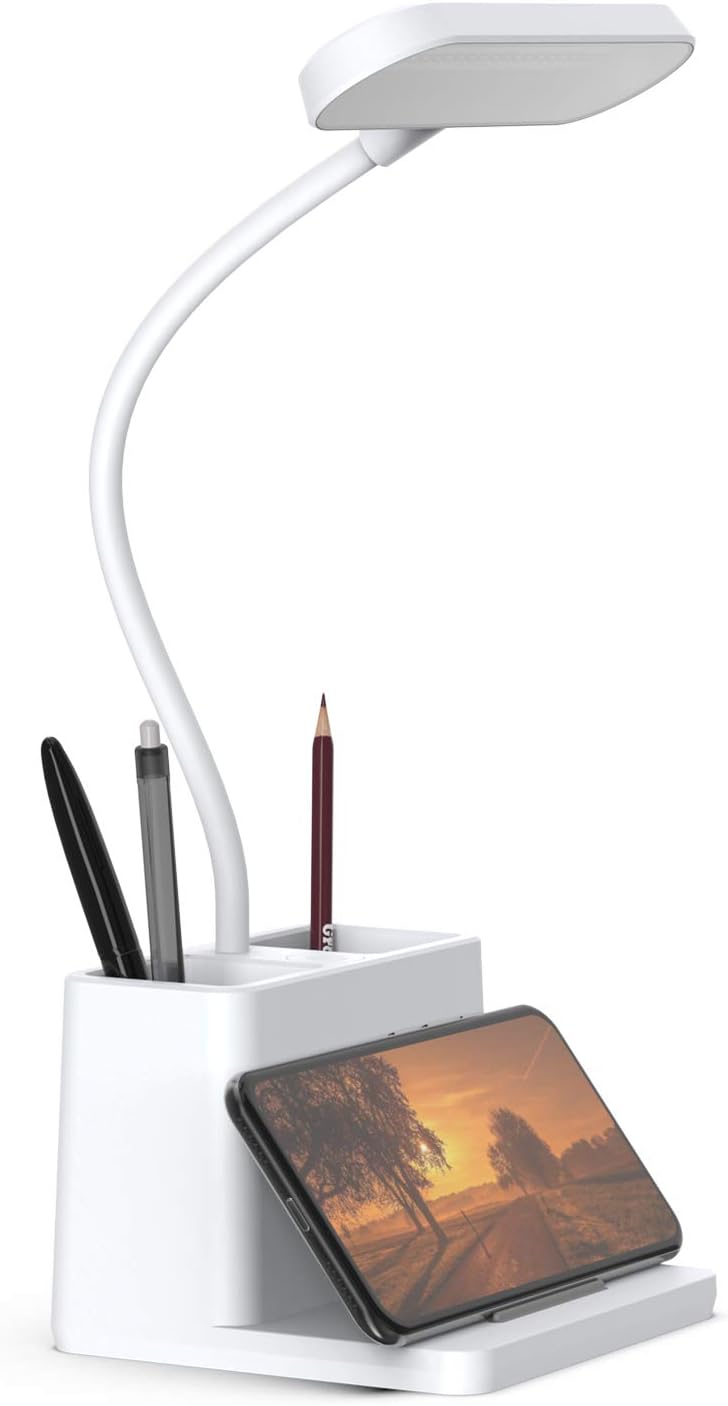
    • A desk lamp or a task lamp can help reduce eye strain and provide additional lighting.

    Organize your Space

    Keep your office organized and clutter-free. Use shelves, filing cabinets, or other storage solutions to keep your files and supplies organized and within reach.

    Using a monitor stand can help you achieve a more comfortable and efficient workspace, making it a worthwhile investment for your home office setup. A monitor stand can also give your workspace a more polished and professional look by providing a clean and organized appearance.

    Wireless keyboard and mouse – With a wireless keyboard and mouse, you can work from a comfortable distance without being tethered to your computer. This can give you more freedom of movement and flexibility in how you work. Another benefit is the reduced clutter. Without wires, your workspace can be free of clutter and tangles, making it easier to stay organized and focused on your work.

    Finally, a whiteboard or pinboard can be used to organize ideas, track deadlines, and keep notes.

    Personalize your space

    Make your home office feel like your own by adding personal touches. Adding plants to your workspace can help improve air quality and boost mood and productivity.

    Items such as family photos, inspirational quotes, or artwork can help create a comfortable and inviting workspace.

    Other Tips for a successful WFH Environment

    1. Lighting: Make sure your office is well-lit with natural light and/or artificial lighting. Consider using a desk lamp or floor lamp to supplement overhead lighting.
    2. Boundaries: Make it clear to others in your household that when you’re in your home office, you’re working and not to be disturbed unless it’s an emergency.
    3. Breaks: Make sure to take breaks throughout the day to stretch, move around, and give your eyes a break from the computer screen. I have a foam roller, and my elastic band right beside my desk for the quick occasional stretching break.

    Remember, the ultimate work from home office setup is one that meets your specific needs and preferences. By following these tips, you’ll be well on your way to creating a comfortable and productive home office.

  • My 2022 Annual Review

    I love reading people’s annual reviews and roundups so I wanted to write my own again just like I did last year. I included a recap of the things I created, a breakdown of my income and expenses, some personal stuff, as well as a look ahead to what’s in store for 2023.

    Psst…I used the Notion Review Template Bundle to help me get organized for this review. You can grab your copy for free right here.

    New Things I created

    → Courses – I planned, created, pre-sold and launched my first two courses:

    1. The Canva Template Shop Success Kit – I really wanted to create something that would help anyone to design and sell Canva Templates, sharing all my knowledge and experience. I poured my heart and soul into this course. I was a bit nervous about pre-selling the course before I had created it but it ended up giving me the push I needed to just get it done and out there.
    2. The MemberVault Product Setup Kit – This course was so fun to create and is packed with product templates, graphics and set up tutorials for anyone looking to create beautiful products, courses and memberships with MemberVault.

    → Templates – From Email Marketing and Course Templates to Planners, KDP Journals, an Affiliate Program Guide, to seasonal content (Instagram Summer Bundle and Christmas Advent Calendar) and Affirmation Cards – I created a little something for everyone in my shop and the All Access Pass Template Hub

    → Notion – I discovered/became obsessed with Notion. I decided to create my own Notion Planner Templates and it was a huge success. I released 3 new Notion Templates with many more to come in 2023.

    → New Content and Freebies – I wrote a few new blog posts (and lots of email newsletters):

    1. How I use MemberVault to grow my Business 
    2. How to create Passive Income Streams with Digital Products 
    3. Publish Journals and Books on Amazon KDP 
    4. Why I Quit Social Media and how it affected my Business (got a lot of responses, messages and comments for this one)
    5. How I use Notion to organize my entire Life and Business – In-Depth Notion Setup Tour 
    6. 5 Things I love most about my Business

    I also made some freebies and cleaned up my Resource Library. You can grab them all below along with a bunch of other resources:

    1. Summer Instagram Templates
    2. KDP Notebook Templates
    3. Notion Review Planner Template Bundle

    Income and Expenses

    Total Income 2022: $87.5

    My 2022 revenue is slightly less than last year – $87.5k – but not bad at all considering I took almost 4 months off (see ‘Personal Life Snapshot’). Freedom over profit 🙂 

    Just for context, here’s an overview of my revenue from previous years:

    • 2018: Started my blog and made a few hundred dollars in affiliate sales
    • 2019: Started my Virtual Assistant Business halfway through the year while still working my corporate job – maybe $10k plus my corporate full time job income
    • 2020: quit my job and went all in with my business – around $40k
    • 2021: my first entirely product based income year. I quit all 1:1 services in Oct 2020 and started out fresh in 2021 – my revenue just exceeded $100k

    → Top 3 Income Streams:

    1. Template Kits – Canva and Notion templates I sold on my website and other marketplaces
    2. Membership – All Access Pass Template Hub current members and renewals
    3. Courses – Canva Template Shop Success Kit and the MemberVault Product Setup Kit 

    → Top 3 Expenses:

    1. Marketing and Processing Fees – Ads, Subscriptions, Listing, Payment and Transaction Fees are always a big bulk of my expenses but that’s totally fine.
    2. Tools and Tech – This includes things like Canva, SendOwl (to sell digital products), Elementor Pro (for website and page design), Google Plus (to store and easily access all my files), MemberVault (course and membership hosting), Siteground (website hosting), FloDesk (email marketing), Vimeo (video recording and hosting), and Quickbooks (accounting and bookkeeping software).
    3. Affiliate Commissions Paid Out – My affiliates are doing an amazing job promoting my products and I’m so excited about paying out a big chunk in commissions in 2022. I moved my entire affiliate program over to SendOwl a couple of months ago (previously it was split – some products were in the SendOwl affiliate program and some were in the MemberVault affiliate program – confusing I know). Hopefully, this will make things easier for everyone.

    Personal Life Snapshot

    → Travel – I got the chance to explore some awesome places I’d never been before and revisited some of my favorite places. From hiking in the Carolina mountains to snorkeling with turtles in Hawaii, we made some wonderful memories in 2022.

    → Taking Time Off – This year I really tried to go with the flow – when I felt inspired and motivated I worked like crazy, when I felt tired, exhausted or not creative I just took the day off. We also had friends visit from Germany for 4 weeks in July and again for 3 weeks in September so this meant that I took a lot of time off in 2023 – all together almost 4 months (not consecutive – a week here, two weeks there). It felt amazing, allowed me to recharge and definitely boosted my creativity and motivation. I am so grateful for the flexibility and freedom my business gives me!

    → We adopted a new pup – We’ve been looking patiently for months knowing the right dog would find us at the right time. I thought about adopting another senior (our pug Greg is almost 13) but we saw this sweet 6 month old puppy in a Shelter Facebook Group and immediately knew he was the one. Welcome to the family Jaeger! We’re so excited to give you the best life possible.

    → Health – I really prioritized my health so I could be the best version of myself for me and others, and my business. I tried out lots of different activities, and workouts to stay active – Aerial Yoga, Power Yoga, Karate, Rowing and more! I also finally stopped lying to myself, went to the eye doctor and got me some cute glasses. Now I can finally see much easier and the blue light filter doesn’t hurt either while I’m working on my computer.

    Coming Up in 2023

    → Brand Photoshoot – This has been on my goal list for like 2 years ugh. I want to shoot some fun photos that really represent me and my business.

    → Launch another Course – Courses and Templates – I started outlining a few new courses (about Memberships, Notion, etc.) Stay tuned 🙂 And I have so many templates ready to go that I just need to publish already!I may add the course to the All Access Pass depending on how in-depth it will be.

    → Invest in my Business – I haven’t really invested into any major programs, tools or courses so in 2023 I will make a conscious effort to change that.

    → Refresh – I want to retire/ update/ reorganize anything that no longer feels aligned – offers, website, branding, online presence, tools, etc.

    Overall, 2022 was an incredible year. I’m so proud of all I’ve done and all I’ve accomplished, but most importantly – I couldn’t have done it without you so I’m forever grateful. Here’s to an even better 2023.

  • How to create and sell Canva Templates – Step-by-Step

    Are you a content creator, designer, or online business owner? If so, you’ve probably heard of Canva.

    Canva makes it easy to create professional-looking designs without needing advanced design skills, which is one of the reasons Canva templates became such a popular digital product to sell online.

    I started creating and selling Canva templates back in 2019, and over the years I made more than $100,000 selling templates and other Canva-based products.

    In this guide, I’ll walk you through the basic process I used to turn Canva templates into digital products you can sell online.

    My Template Journey

    I originally started creating Canva templates because I needed an easier way to create graphics and marketing materials for my own business. I quickly realized other business owners probably needed the same thing.

    I began creating templates to solve those problems and eventually sold them through my website and online marketplaces. Over time, they became a major source of income for my business.

    You don’t need hundreds of designs to get started. The key is creating a template that solves a specific problem for a specific customer.

    1. Find and validate your Product Ideas

    Before you start designing, decide what kind of Canva template you actually want to sell. 

    Instead of starting with “What can I make in Canva?” start with “What does my ideal customer need help creating?”

    Examples include Social media templates, Workbooks, Client documents and Pinterest templates.

    Research what your audience is already searching for and buying. Look at marketplaces, search results, Pinterest, social media, and other businesses in your niche. 

    You don’t want to simply copy what already exists. You’re looking for clues about what people need, what they’re willing to pay for, and where you might be able to create something more useful or more specific.

    2. Create Your Canva Templates

    Canva’s drag-and-drop editor makes this part fairly straightforward.

    While you design your template, think about the person who will eventually use it. It should be easy to customize and navigate, consistent in style, organized and not require lots of additional setup.

    I also recommend including clear instructions wherever your customer may need a little extra help.

    Want a Shortcut?

    If you’d rather start with ready-made Canva products instead of creating everything from scratch, my Canva PLR Profit Pack includes customizable Canva products you can rebrand and sell as your own.

    3. Set up your shop

    Once your templates are ready, you need somewhere to sell them. You have several options, including:

    Your website using WooCommerce, Shopify, or another ecommerce platform

    Etsy gives you access to an existing marketplace of shoppers

    Creative Market for design-focused templates and other digital assets

    Gumroad for a simple digital-product storefront and checkout

    Payhip for selling and automatically delivering digital downloads

    A checkout platform like Teachery or Thrivecart

    There isn’t one platform that is automatically best for everyone. Marketplaces can help put your products in front of people who are already shopping, while your own website gives you more control over your products, customers, pricing, and marketing.

    I’ve used a combination of my own website and marketplaces throughout my business.

    Whichever option you choose, make sure customers can easily understand:

    What they’re buying, What’s included, Who the product is for, How they’ll receive it, What they’re allowed to do with it

    Clear product listings make the buying decision much easier.

    4. Package and Deliver Your Canva Templates

    Create a PDF for your customers that includes:

    • A link to the Canva template
    • Basic customization instructions
    • License information
    • Helpful resources or next steps
    • Your branding and contact info

    This gives your customer one organized place to find everything they need

    Want to quickly create a branded delivery PDF for all of your digital products in just a few clicks? Check out my Digital Product Delivery Creator

    5. Create Your Product Listing

    Your listing should quickly communicate the value and results your template provides. Include:

    • A clear product title
    • Strong product images
    • What the customer receives
    • Important features
    • Who the template is for
    • How it works
    • License or usage information
    • Frequently asked questions

    Focus on the result the customer gets rather than listing every tiny feature. So instead of simply saying: “Includes 50 Canva templates”, explain what those templates help your customer create faster or more easily.

    6. Market Your Templates

    Once your product is live, you need people to actually find it. Choose a few that make sense for your audience and give them enough time to work.

    • Marketplace SEO
    • Google search
    • Pinterest
    • Email marketing
    • Social media
    • Blog content
    • Affiliate marketing
    • Product bundles and cross-sells

    Ready to Start Selling Templates?

    Selling templates doesn’t have to be complicated. Start with one useful product, make it easy to use, choose where you want to sell it, and focus on getting it in front of the right people.

    Whether you sell Canva templates, Notion templates, or both, the goal is the same: create something useful, package it professionally, and make it easy to buy.

    Free Resources

    canva templates

    Want to Turn Canva Templates Into Products You Can Sell?

    Learn how to take a simple Canva template and turn it into a journal & planner you can sell.

    notion templates

    Looking for Another Type of Template to Sell?

    Want to sell Notion templates?  Learn how to customize, design and list a pre-made template.

    Mockup of the Notion Template Creator Starter Kit
  • 5 Things I am grateful for about my Business

    I’m currently working on my 2022 yearly review and wrap up. To kick things off and in the spirit of gratitude here are 5 things I am grateful for about my business.

    1. Motivation – I can’t wait to get out of bed in the morning because I’m so motivated about all the exciting projects I get to work on.
    2. Freedom – I have full creative freedom and get to try new ideas on my terms. I can experiment and do what feels right to me.
    3. Flexibility – I make my own schedule and control my own life-work balance. I can go on vacation without asking for permission and work from anywhere. And since I sell digital products I know I will still have sales coming in even when I’m not working.
    4. Self Improvement – It gives me an opportunity to work on myself every day. I have more time for people I love, more time to prioritize my health, and more opportunities to go outside of my comfort zone.
    5. Impact – I make a difference and have a positive effect on my community and my audience. I create products that help my customers solve problems and improve their lives and businesses.

    YOUR TURN

    I challenge you to make your own list – why do you love your business? Or what do you love about your entrepreneurial journey?

    Need some help kickstarting your own online business? Check out my course:

    Learn how to sell Canva Templates

    If you want to launch your very own profitable Canva Template Business or add an additional income stream to your business, check out the Canva Template Shop Success Kit! 5 Modules to walk you through everything you need step-by-step:

    • Find and validate your product ideas + where to sell
    • Design Tips and Guidelines for profitable + user-friendly Templates
    • Set up your Shop (Etsy, WooCommerce, SendOwl)
    • Optimize payment, delivery, listing images, description, etc.
    • Proven Strategies to Market, Launch and Scale your Shop
    • Turn Buyers into loyal and engaged Repeat Customers​
    • Canva Templates you can resell to kickstart your new Shop
  • Why I Quit Social Media (and how it affected my Business)

    I quit social media almost a year ago. Yep, I deleted my business and personal accounts and I never felt better. I don’t really talk about it that much (if ever)…mainly because I didn’t really find it that interesting or share-worthy. 

    A few weeks ago I received an email from one of my subscribers that got me thinking. She asked if I was active on Instagram and our conversation went something like this:

    → Me: “I haven’t been active on Instagram in forever. I quit social media a while ago because it always felt draining somehow. I wanted to put my time and energy into other projects that feel more aligned. I usually focus on my email list and Pinterest.”

    → Her: “I completely understand what you mean about Instagram, I feel the same way! I was thinking about deleting my account and was wondering if my business could “survive” … without Instagram. I guess, I can.”

    I want all of you to know – yes, your business can survive without Instagram. If Instagram or social media isn’t something you enjoy, then focus on other things strategies that feel more aligned.

    I’m not telling you to quit social media, just sharing my experience and showing you that there are other ways to be successful if you feel drained and exhausted by Instagram.

    For me, posting became unbearable. While I did enjoy it when I first started my business I soon realized that I just spent waaay too much time on social media – creating cute graphics, researching hashtags, writing captions, engaging with others, scrolling. The addiction to followers, likes, to posting everything in my stories was real.

    Once I decided to quit I was finally able to release this huge content burden and could focus on the content and marketing strategies that actually felt good, fun and made way more sense for me and my business.

    → building my email list

    → focusing on providing valuable content

    → connecting with my audience

    → writing blog posts

    → pinning on Pinterest and more (I don’t see Pinterest as social media in a business sense by the way – pins have a much longer life span and the posting schedule is really flexible – now I just. pin whenever I feel like it)

    More time and more alignment = more business success

    I don’t miss it and I’m happier for it – personally and in my business : )

    Learn how to sell Canva Templates

    If you want to launch your very own profitable Canva Template Business or add an additional income stream to your business, check out the Canva Template Shop Success Kit! 5 Modules to walk you through everything you need step-by-step:

    • Find and validate your product ideas + where to sell
    • Design Tips and Guidelines for profitable + user-friendly Templates
    • Set up your Shop (Etsy, WooCommerce, SendOwl)
    • Optimize payment, delivery, listing images, description, etc.
    • Proven Strategies to Market, Launch and Scale your Shop
    • Turn Buyers into loyal and engaged Repeat Customers​
    • Canva Templates you can resell to kickstart your new Shop